Candid CRM In Action

Candid CRM In Action

First outing for Candid CRM
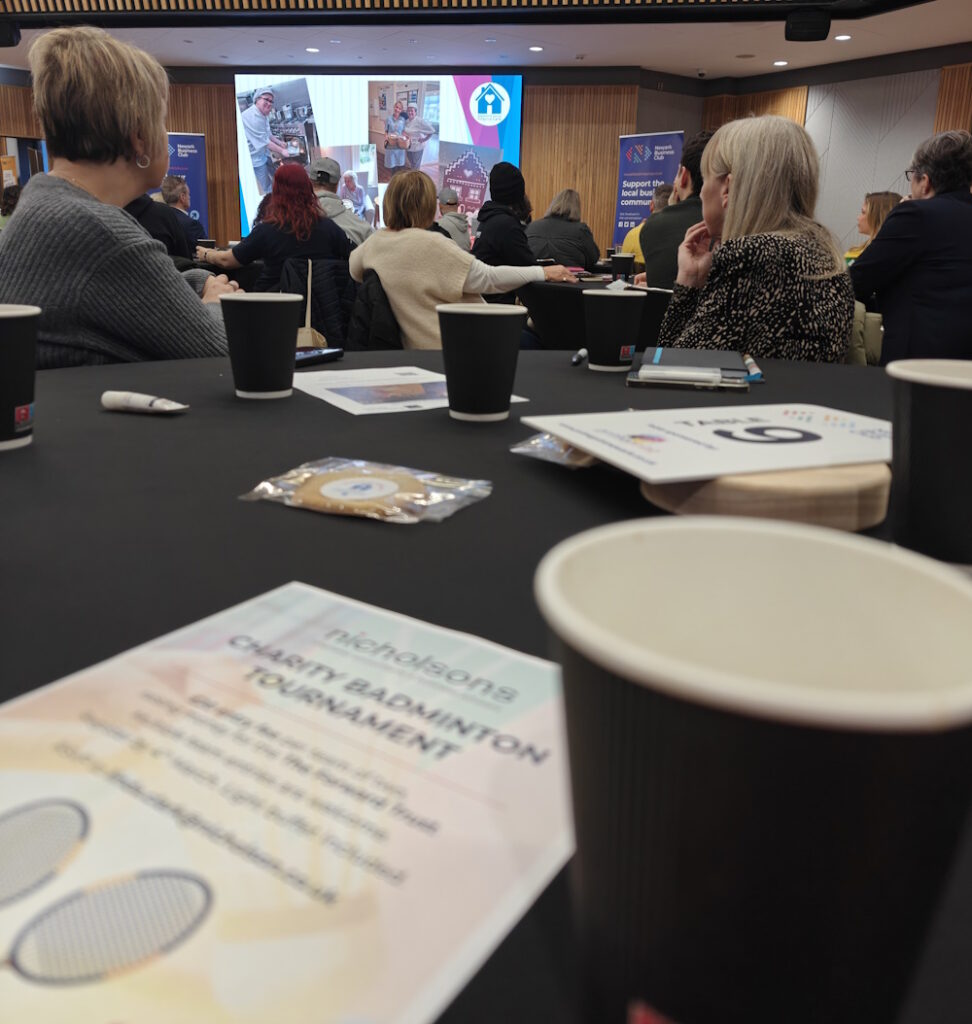
Beaumont House presenting at Newark Business Club

Newark Business Club and Success Networking in Retford were both great events today. About 80 people at NBC and 10 at Success and both had a very positive vibe. I still struggled at NBC to talk to new people and it did not help that I knew everyone on the table that I was allocated to, I did find new people by swapping tables at the break. Although I typed a couple of names of people I know into Candid CRM, I would not class NBC as a proper field test.
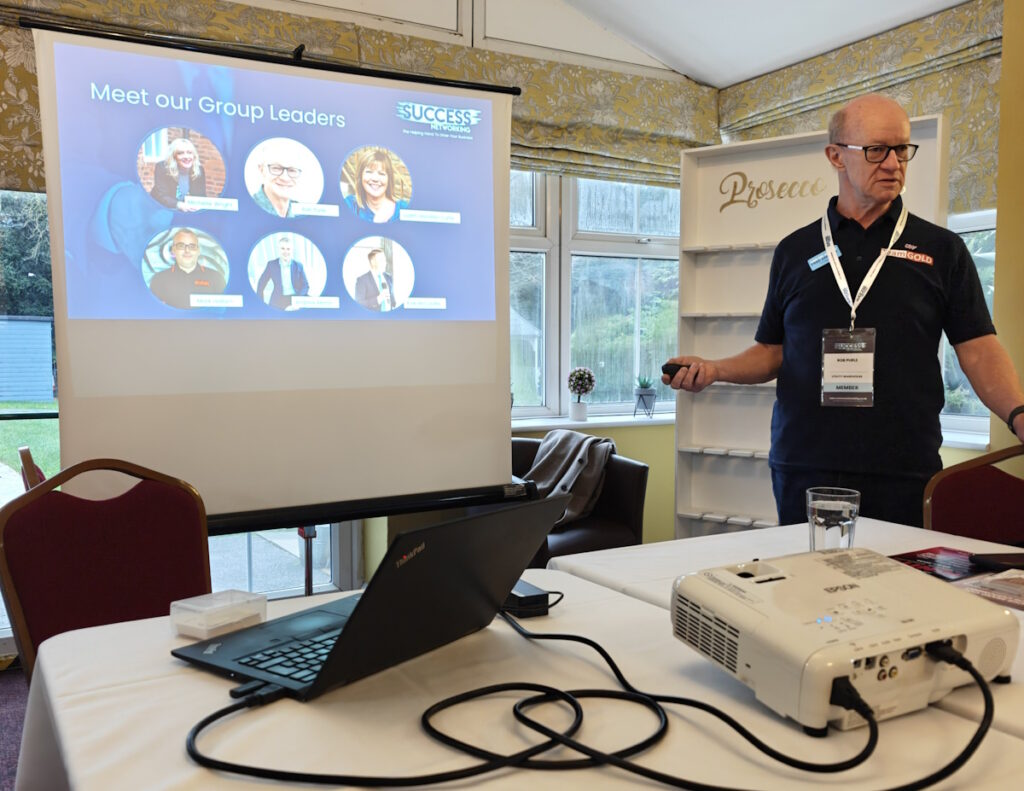
Rob Purle hosting Success Networking Retford’s first meeting.

The Success Networking meeting was a different matter altogether. This events is what Candid CRM was created for. The event was structured to get to know everyone in the room. I scanned 6 cards, one of which I already had. A duplicate was created because the matching criteria in my code was inadequate. The other cards all scanned as they should but there was one with a QR Code which Candid CRM did not appear to capture correctly. Turns out the QR code did not start “https://” but “www.” instead.
At the event I created 11 new tasks in Trello, 5 were errors and the rest were cosmetic. I fixed the errors this afternoon and will sort the rest over the weekend. QR codes are now checked with and with “https://”.

From both meetings I created 9 follow-up actions. I have set the due dates for today and have not done them. Again, I will do them over the weekend, but it will be a good test for the daily email that is sent just after midnight. The daily email lists late tasks as well as upcoming tasks and birthdays.

Today was good, Candid CRM is getting better, easier to use and less cluttered.
Candid CRM In Action

Day 1 Preparation

Candid CRM is not finished yet, today I have made sure the settings screen looks good on both mobile and desktop.

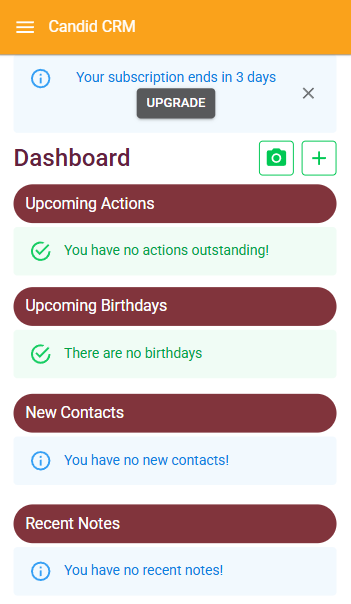
This morning I removed all the test data from my account, this left me with no contacts which has not happened since before I started on the dashboard. This gave me blank “Upcoming Actions” and “Upcoming Birthdays”, which is OK, but better to let the user know. It was also blank where “New Contacts” and “Recent Notes” should be. I’ve added a message to explain this.

My Candid CRM is now ready to add contacts, but before I do this, I headed to the Settings screen.

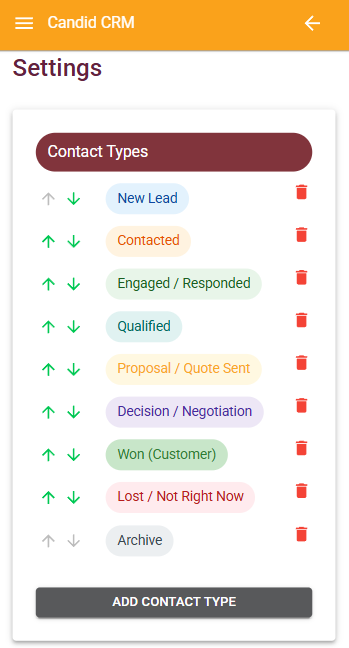
Contact Types

I am going to start with the default contact types. They fit my bespoke software business and that is the customer I want to find. For my apps, there are too many stages, but I can skip for the time being.

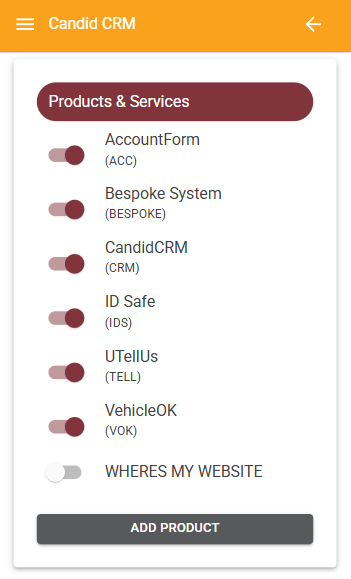
Products & Services

I have added my main products and services as of today. I can see this expanding but for now this is a good start. Where’s My Website is an old product that I have discontinued. I have disabled it but may enable it if people need to know if their website is up and running.

User Defined Fields & Address

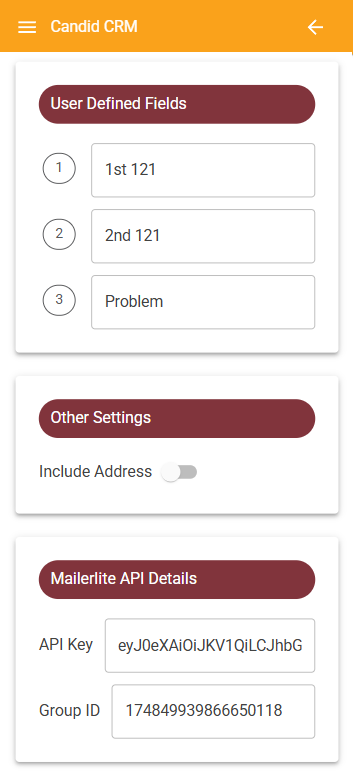
I am not sure what I want to use the user defined fields for. I want to make sure that I have had a one-to-one with my contacts but not sure about a second one-to-one. I definitely want to know what their biggest business problems are. This I will come back to.

I never wanted to include address in Candid CRM. But, it is vital for some businesses. Here you can switch it on if you need it.

MailerLite API Details

I have used MailerLite for a year. It is easy to use and to add automations. By providing an API key and a Group ID, any new contact added will be added to that group. I am thinking of adding an automation to send a welcoming email. Tell the person a little about myself and Mustard Software. Finally, a button for the customer to book a one-to-one using something like Calendly. All of this is to make it as easy as possible to get time with the people I am adding to Candid CRM.

Ready to go!

Monday 5th January 2026 is the date most people will be back at work. Those in today are likely to be preparing for the New Year, I know I am!

Monday will also be the day I start adding peoples details to Candid CRM. I am looking forward to using the “Scan Business Card” function as well as adding some of my existing leads and customers, people I have not spoken to for a long time.

Scroll to Top