Tips

I, I, I, I, me, me, me

This is not new knowledge. Dale Carnegie wrote about, and published it, in 1936 in his book How to win friends and influence people. More recently, Les Giblin published Skill with People.

If you want to get along with people, make friends, and especially to buy from you, then stop talking about yourself. Stop using ‘me’, and ‘I’ when talking to others.

Yesterday, my friend and I went to Grantham Business Club, a good event and then we went to a cafe after. Another regular joined us, and brought her school friend who had been in business for a year.

From the moment the new friend sat down, the conversation was about her. We knew what she was doing for the next week or so, where her kids were, how her divorce was going, where she was living, how much her rent was, how much she had earned and how she was spending as much as she could. Her only real question was about how her earnings would reflect on her divorce!

It was not the most enjoyable coffee! We all left together and headed to the car park, 250 meters away. As I opened the door, she started again. In the short distance she said ‘I’ 37 times. Honestly. We didn’t even ask her anything.

I’ve just looked at her LinkedIn posts. They are all about her too.

Is this bad? I think so, however, she is building a very profitable business and has many followers.

My recommendation to new networkers remains the same. Read the two books mentioned above and stop talking about yourself. If you hear yourself say ‘I’ or ‘me’, stop and think about who you are talking to.

Tips

Mobiles, choose your priority!

I have had many one2ones over the years. Some good, some bad, but the worst ones are with people that are always checking their phones. It does not seem to matter if they get an alert or just look at it in habit. Now everyone seems to have a smart-watch as well. Again, regularly looking at it.

Mobiles are great, information at your finger tips. But focusing on your phone and not who you are talking to is rude. What you are saying is that you’re bored listening and want to be somewhere else.

How much money do you think you have lost by looking at your phone during a one2one or even a customer meeting? Just to look at your phone, just in case there is a notification!

Do yourself a favour, when in a one2one, customer meeting, networking event, put your phone to silent and put in your pocket or handbag! It will surprise you the number of conversations that start because someone else is “playing” with their phone. Having your attention on your phone says that you do not want to be bothered, so why are you there?!

Tips

First in, last out!

All networking events have agendas that detail how the meeting will run. But I find that the best conversations, and the most profitable, are those that happen after the meeting.

If the networking event starts at 9am and finishes at 11am, you need to make sure you have 30 minutes before, and have at least an hour available after the meeting. Far to often you will meet someone interesting and as soon as the meeting is over, they have to rush off as they have an appointment with a client. Why arrange a another meeting straight after a networking meeting?

Talking to people before and after the meeting is really easy. Before the meeting everyone is in one of two boats, first time or not? Find this out and continue from there. At the end of the meeting simply asking if they enjoyed the meeting or met anyone interesting is a great conversation starter.

Most meetings have people who arrive late, and people that leave as soon as the event is over. Make sure this is not you! Your best options are to be there just after the organisers turn up, help if you can, and be one of the last to leave. There will be others doing this, they are the ones that want to use their time wisely, and know the opportunities to meet new people is limited. It’s a networking meeting, you will never be on your own.

Top tip, looking in a hurry, always claiming to be busy, does not help your business at a networking meeting. You have to be interested in others, and have time to spend with them.

Tips

Who should I add to my CRM?

The primary purpose of a CRM is to increase sales. To increase sales you need to build relationships, and that is what a CRM, if used correctly should facilitate.

All strangers are potential customers, suppliers, partners or introducers. You job is to follow-up, arrange One2Ones, and then, at the One2One, listen to what the stranger is saying. At this point, within your CRM, the stranger has gone from “Lead”, to “Engaged”.

Where they go next is down to the conversation you have. The first thing you should discover is whether they will buy from you. This is not to say that you should sell to them, more find out if there is a need for your product or service.

If they are not buying, then what can you help them with? How can you improve the results of their business? Do you share the same clients or event types of client. You are looking to work together, as partners, you really do need to get on with each other. If not partners, then maybe you can be “introducers” for each other. There does not need to be payments or commissions involved, just helping each other maybe enough.

Finally we come to supplier, the stranger may not need your product or service, but you maybe in need of theirs. If you do a lot of One2One’s then eventually you will know two strangers that can help each other, but they have never met, that’s when networking becomes great. When you can “introduce” two strangers and know that you have helped both.

What you should not do at a networking event is ignore or decide that someone should not go into your CRM. People are different depending on their situation. Someone who does not talk or explain their business well in a networking meeting, might be just the person you or your associates need. Do not discredit any “stranger” until you have had at least one One2One with them. At that One2One you may be surprised who they know, who they are related to, and who their clients are!

Tips

Email automation is great, but….

I love automation, it is what computers were made for! But for people who network, they should not automate their emails, not until the new contact is a paying customer. The same goes for Ai. People know when an email is automated or written by Ai, and that puts you back a step.

What emails am I talking about?

  • “It was good to meet you at todays event”
  • “I have added you to my mailing list”
  • A boring email of your “Products and services”
  • Another boring list of your “customers with testimonials”

I find that the best email to send after a networking event is as simple as “It was great to meet you today at …….. “, making sure you name the event.

If you did not get to speak to the person, say so, and let them know that you would like to catch up as soon as possible.

If you did talk to the person, mention something about the conversation and that you would like to continue the conversation as soon as possible.

DO NOT get Ai to write or revise this email. You want the email to sound like you. It is true, people buy from people, and no-one wants to think that they are part of your process, or that you can’t write an introductory email.

And the best thing to add in your introduction email? A solution or advice for a problem they have mentioned during the meeting. Not a solution you sell, again, people know when they are being sold to. What’s important is that the person knows that you were listening to them.

Try it, your next follow-up email, you will get that one-2-one!

Development

“Partner” flag removed

Not every contact you meet will be a potential customer. They could become a supplier or someone that can introduce you to other people.

For these people, I thought a flag that said partner would be the solution. However, this gives partners a contact status. And how can a Partner also be a “lead”?

Having used Candid CRM for a couple of days, I now realise that “Partner” is not right, and the solution is obvious. Creating contact types of “Introducer” and “Supplier” solves the problem and will work with all the other reports and charts I intend to create.

The partner flag also looked wrong on the contacts screen as a filter. You have “partners”, “non-partners” and “both”. This is messy and confusing for the user.

“Partner” flag has gone, I am now trying the new “Introducer” and “Supplier” contact types and will add them to the user setup process if they work for me. If they don’t work for you, then you can delete them.

Another contact type I am considering is “Past Customer”. We all have customers that we have not heard from, but these should be treated differently from potentially new customers.

Development

One-2-One! It’s the only action that matters.

There are lots of rules to getting the best out of networking. Mike Stokes book Positive Networking should be every newbies guide. But for me, the number one, is to get a follow-up one2one. The chances are high that you are not going to sell anything in the meeting. Your best chance is to have a one2one shortly after the meeting. Mike is probably laughing at me now! It took me ages to get to get this. Why? Because I used to fix computers, people will always ring the person they remember when their laptop won’t start up or their data disappears. For bespoke software, I have to follow the rules!

But most CRM’s, including Candid CRM, do not have a feature to monitor one-2-ones. Somewhere that the user can state they have have had a one-2-one.

Candid CRM has a last contacted time, but you have to add a note that is a contact type such as email, phone, text etc.

What I want to do is to go to a meeting, add everyone to Candid CRM, preferably by scanning business cards, and then later, go through each contact and follow up. Once I have had a one-2one I want to mark the contact as having a “One-2-one” or “Not Now”.

“Not Now” may seem alien from what I have just said. But their will be people at a networking event that you don’t gel with, are not in your area, or could just be a member of the networking event team. Yes, you should email to say that it was good to meet and that you enjoyed the event. But, you won’t be having a one-2-one, not now anyway!

So, Candid CRM is going to have a one-2-one in the main menu, this will list all contacts that have not been marked as “One-2-One” or “Not Now”. The user will then be able to click a button that will ask for details, a note or reminder. “One-2-One” will ask for a date, but there is no reason for “Not Now” as the current date will be sufficient.

Using this information, I will be able to produce reports and/or charts of contacts that have, or due to have a one-2-one. These reports will make interesting reading when checked against sales and referrals, this alone should prove that one2one’s are worthwhile.

Candid CRM In Action

First outing for Candid CRM

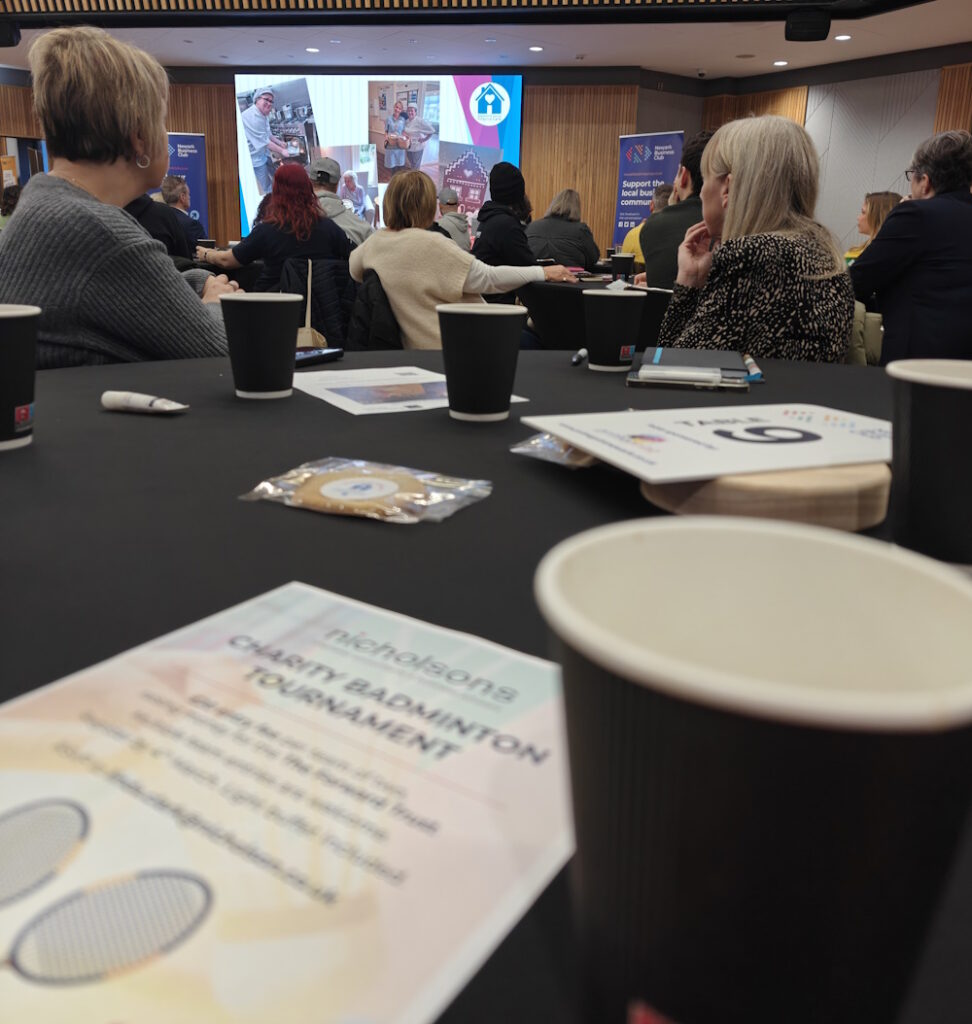
Beaumont House presenting at Newark Business Club

Newark Business Club and Success Networking in Retford were both great events today. About 80 people at NBC and 10 at Success and both had a very positive vibe. I still struggled at NBC to talk to new people and it did not help that I knew everyone on the table that I was allocated to, I did find new people by swapping tables at the break. Although I typed a couple of names of people I know into Candid CRM, I would not class NBC as a proper field test.

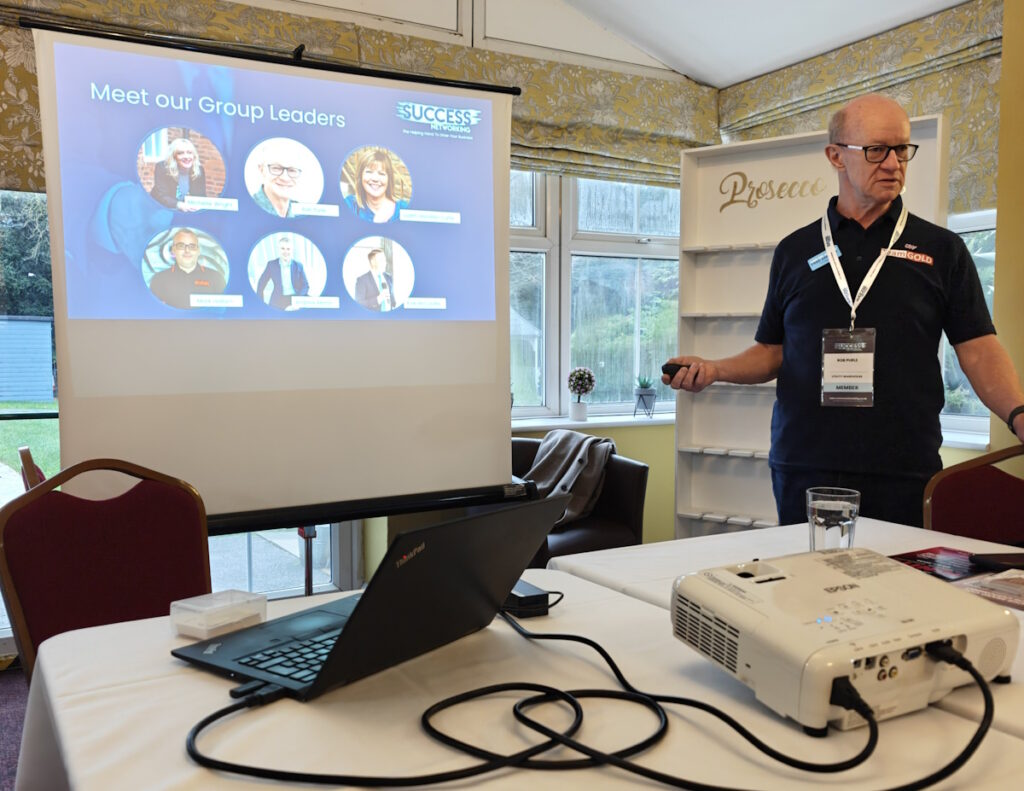
Rob Purle hosting Success Networking Retford’s first meeting.

The Success Networking meeting was a different matter altogether. This events is what Candid CRM was created for. The event was structured to get to know everyone in the room. I scanned 6 cards, one of which I already had. A duplicate was created because the matching criteria in my code was inadequate. The other cards all scanned as they should but there was one with a QR Code which Candid CRM did not appear to capture correctly. Turns out the QR code did not start “https://” but “www.” instead.

At the event I created 11 new tasks in Trello, 5 were errors and the rest were cosmetic. I fixed the errors this afternoon and will sort the rest over the weekend. QR codes are now checked with and with “https://”.

From both meetings I created 9 follow-up actions. I have set the due dates for today and have not done them. Again, I will do them over the weekend, but it will be a good test for the daily email that is sent just after midnight. The daily email lists late tasks as well as upcoming tasks and birthdays.

Today was good, Candid CRM is getting better, easier to use and less cluttered.

About Me

First networking event of 2026 tomorrow

Newark Business Club is tomorrow. I’ve been a member since 2005 and have regularly attended. I generally speak to the same people, collect business cards of the people on my table, drink coffee and then go to work. But not this year! This year I am going to do more with those business cards, I am going to talk to new people, and more importantly, I am going to follow up!

Bold intentions! Yes, I know. But, I need to get more bespoke development work to keep my business going, I want to sell apps and I also want to find other business ideas that software could improve.

I won’t be on my own, I will be using Candid CRM. It will be it’s first outing. I will be scanning as many business cards as possible and creating actions to follow up.

Tomorrow will also be my first visit to Success Networking in Retford. My friend and ex-software developer, Rob Purle is hosting, so I will be supporting him as well as looking to meet new business owners. I am not sure what to expect and am taking my friend from Academy Office Furniture with me.

CRM

I lost the ‘import contacts’ argument!

From the very start, I did not want people importing their contacts into Candid CRM. My reasoning was that I wanted to follow a process:

  • Add contact to CRM, either manually or by scanning their business card.
  • Create and execute the first action that will lead to a one2one.
  • Keep creating and executing actions until your either get the one2one or you give up!
  • Have the one2one and go from there.

If you import 100 contacts, you can still do this, but you have to work through them methodically, and delay the first action as you cannot do several first action immediately.

I still stand by this. However, Candid CRM is meant for first time CRM users. New businesses, people who are currently using a spreadsheet, Outlook or the contacts on their mobile.

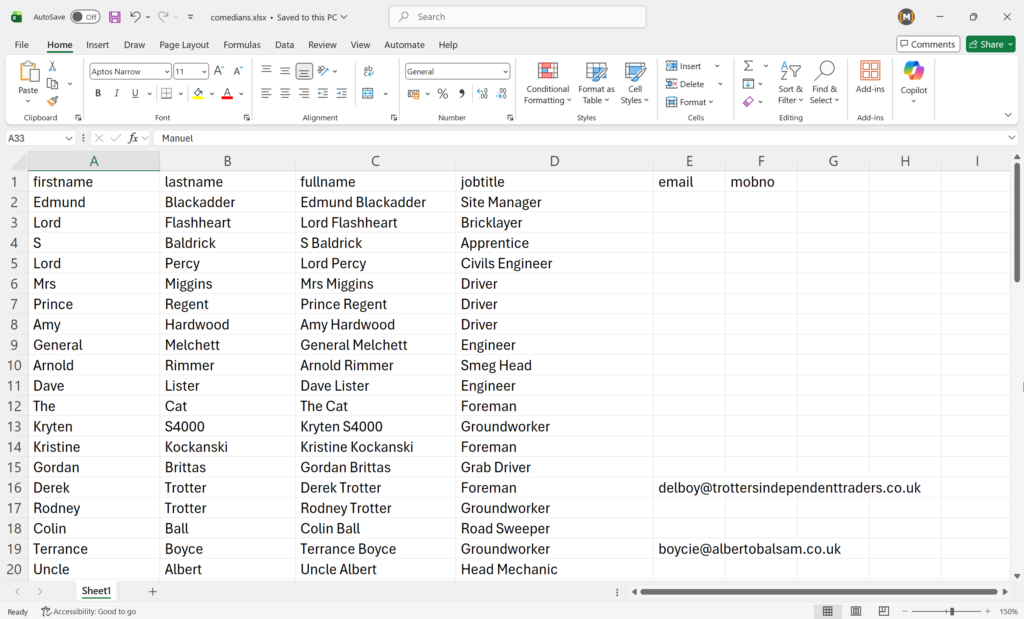
These people are more likely to have 50 contacts than 1000, and typing in 50 names and details will take awhile. Using a CRM is to save you time, not to waste it.

So, the import facility is being added! The cravat is that you will be notified that it is a good idea to cleanse your contacts before importing them. As a rule, only import contacts that you are happy to set a next action.

Scroll to Top